
Guide
Connect events from your platform
Link events made on your platform to Neegma, map your own fields, and add games your guests can join.
Updated Nov 2, 2026 · 8 min read
When a host creates an event on your platform, one call creates its Neegma event and keeps it in step. The host then adds games, and your guests get one link to join them on the day.
You will:
- Let the host connect their Neegma account.
- Send the event, mapped from your own fields.
- Add a game session.
- Publish, and share the link with guests.
Before you start#
- An OAuth 2.1 library that supports the authorization code flow with PKCE. Most do.
- A client ID for your app, which the host's sign-in needs. Your library can create one for you from the discovery address in step 1 (dynamic client registration), or contact us with your app's name, logo and redirect URLs and we create it.
Every request below goes to https://tryneegma.com/api/v1 with the host's access token:
Authorization: Bearer <access token>
Content-Type: application/json
Step 1: Let the host connect their account#
Send the host through the OAuth authorization code flow with PKCE. Your library can find the sign-in and token endpoints from this address:
https://tryneegma.com/.well-known/oauth-protected-resourceThe host signs in, or creates a free account in the same window. New accounts are confirmed with a 6-digit code from their email, so they never leave the window.
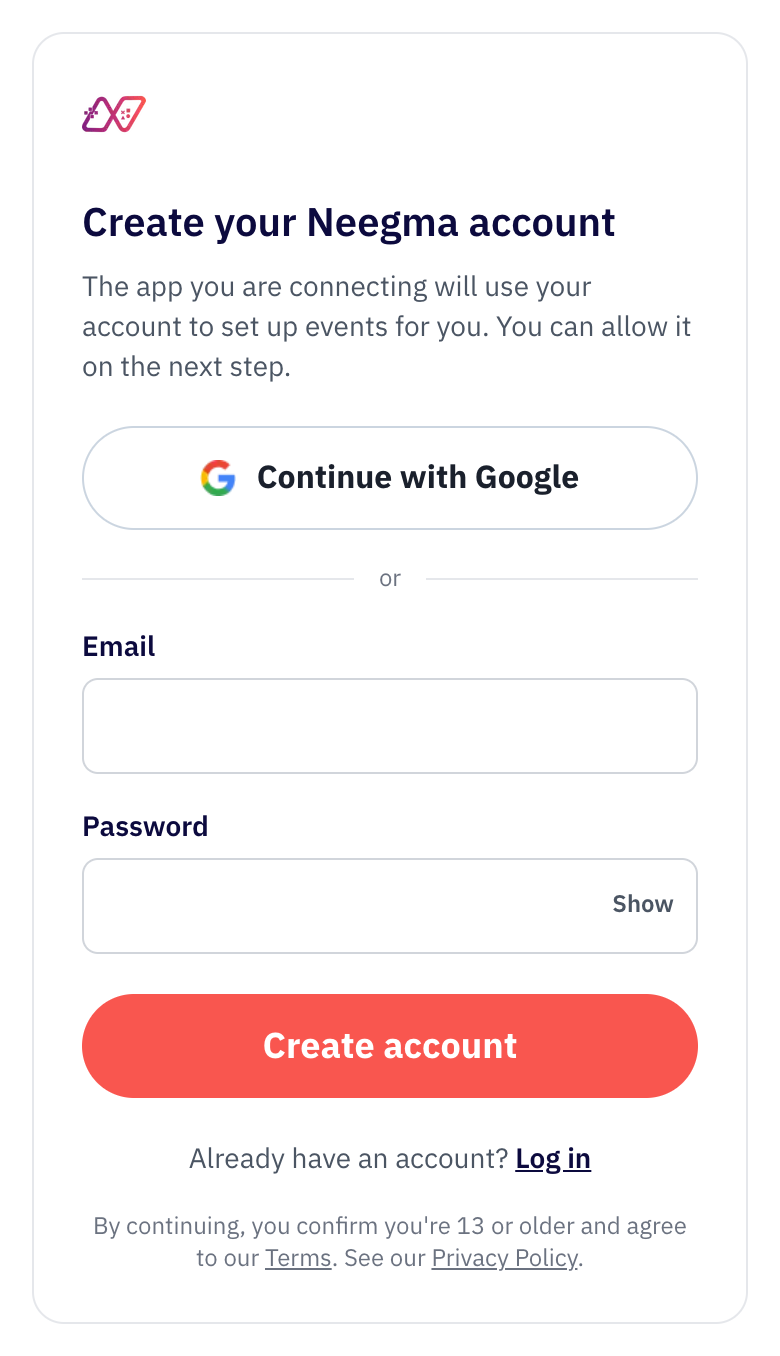
Then they allow your app to use their account. When they choose Allow, you receive the authorization code. Exchange it for an access token and a refresh token.
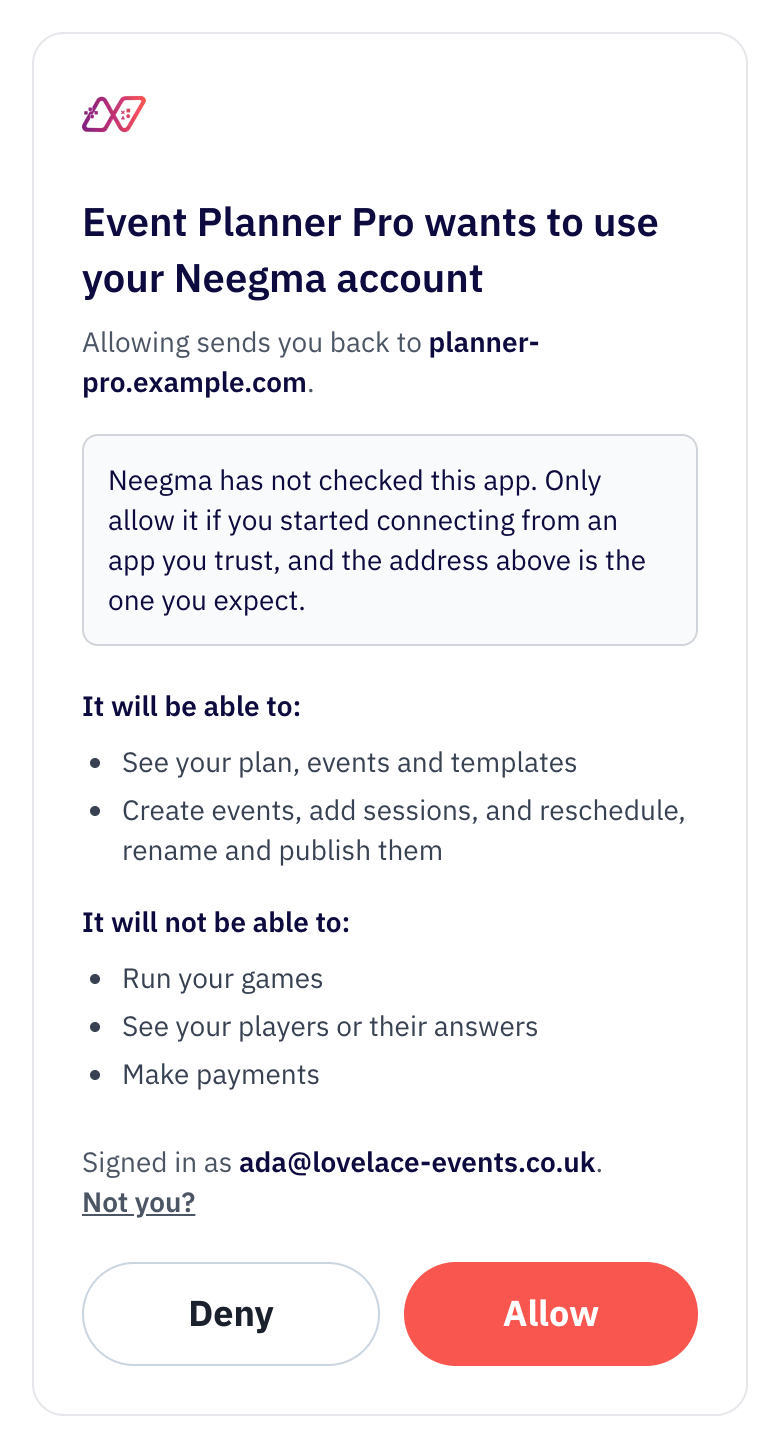
The screen shows your app's name and the address it sends the host back to. Until we have checked your app, it also shows a note saying so; contact us to have it checked.
Step 2: Send the event#
PUT /api/v1/connected-events/{source}/{external_id}sourceis a short name for your platform, such aseventful: lowercase letters, digits and hyphens.external_idis the event's ID on your platform.
The first call creates the Neegma event and answers 201. Every later call with the same source and external_id updates it and answers 200. Send it whenever the event changes. It is safe to retry: it never creates a second event.
Send your own fields, with a mapping#
Send your event exactly as your platform stores it, under data. Under mapping, say which of your fields holds each piece Neegma needs.
{
    "data": {
        "id": "evt-123",
        "name": "Friday team social",
        "start_at": "2026-11-06T16:00:00Z",
        "tz": "Europe/London",
        "page": "https://eventful.example/e/friday-social",
        "visibility": "members-only",
        "guests": [
            {
                "id": "g1",
                "first_name": "Ada",
                "last_name": "Lovelace",
                "email": "ada@example.com",
                "rsvp": "yes"
            }
        ]
    },
    "mapping": {
        "title": "name",
        "starts_at": "start_at",
        "timezone": "tz",
        "url": "page",
        "privacy": {
            "field": "visibility",
            "values": { "public": "public", "members-only": "private" },
            "default": "public"
        },
        "attendees": {
            "list": "guests",
            "name": ["first_name", "last_name"],
            "email": "email",
            "external_id": "id",
            "status": {
                "field": "rsvp",
                "values": {
                    "yes": "going",
                    "maybe": "invited",
                    "no": "not_going"
                },
                "default": "invited"
            }
        }
    }
}
Fields are dot paths into data, such as event.start_at or hosts.0.name.
Or send Neegma's field names#
If you would rather map on your side, send the fields directly:
{
    "title": "Friday team social",
    "starts_at": "2026-11-06T16:00:00Z",
    "timezone": "Europe/London",
    "url": "https://eventful.example/e/friday-social",
    "privacy": "private",
    "attendees": [
        {
            "external_id": "g1",
            "name": "Ada Lovelace",
            "email": "ada@example.com",
            "status": "going"
        }
    ]
}
What you can map#
| Field | What it holds | Notes |
|---|---|---|
title | The event's name | Required. 2 to 50 characters; longer names are cut. |
starts_at | When it starts | ISO 8601. Leave it out to keep the current time. |
timezone | Where it was planned | An IANA name, such as Europe/London. |
url | Your event page | Returned with the event, so you can match it up. |
privacy | public or private | Translate your own values with values and default. |
attendees.list | Your list of guests | Points at an array in data. |
attendees.name | The guest's name | One field, or up to three joined with a space. |
attendees.email | The guest's email | Optional. Accepted, but not stored yet: nothing in Neegma uses it. |
attendees.external_id | The guest's ID on your platform | Optional. Stops the same guest being added twice. |
attendees.status | going, invited or not_going | Translate your own values with values and default. Without it, guests are going. |
Types, limits and every response field are in the API reference.
Attendees. Send the full list each time: it replaces the list Neegma holds. Leave attendees out to keep the current list. Neegma keeps each guest's name, status and your ID for them, and returns the counts with the event, with a warning if more guests are going than the host's plan lets join a session. Send only what games need: no photos or other personal data.
Privacy. A private event puts a 4-digit join PIN on every session you add to it. Show the PIN only to confirmed guests. Private sessions need a paid Neegma plan. If Neegma cannot make a session private, it is not added and the call fails with private_session_failed, so try again.
The response#
{
    "created": true,
    "event": {
        "id": 4182,
        "title": "Friday team social",
        "status": "draft",
        "starts_at": "2026-11-06T16:00:00.000Z",
        "timezone": "Europe/London",
        "privacy": "private",
        "connection": {
            "source": "eventful",
            "external_id": "evt-123",
            "url": "https://eventful.example/e/friday-social"
        },
        "attendees": { "going": 1, "invited": 0, "not_going": 0, "total": 1 },
        "unpublished_changes": [],
        "session_count": 0,
        "manage_url": "https://tryneegma.com/dashboard/events/4182",
        "attendee_url": "https://tryneegma.com/event/k3x9a7mq2b4z",
        "host_url": "https://tryneegma.com/event/k3x9a7mq2b4z/host",
        "sessions": []
    },
    "warnings": []
}
Keep event.id for the next steps. You can read the event back at any time with GET /api/v1/connected-events/{source}/{external_id} or GET /api/v1/events/{id}.
warnings lists anything Neegma changed or could not keep, without failing the call. For example: the title was cut to 50 characters, a guest had no name, or the event has already started so its time was not moved. Show them to the host.
Events your organisers have paid for#
If you sell Neegma events to your organisers, for example as an add-on to your own plans, you buy event passes from us under a partner agreement. Tell us which pass each event uses with event_pass, in either kind of request:
{
    "title": "Summer launch party",
    "starts_at": "2026-12-04T18:30:00+00:00",
    "event_pass": { "paid": true, "plan_code": "party_pass_100", "reference": "order-8841-1" }
}| Field | What it does |
|---|---|
paid | true puts the pass on this event. false takes your pass off it. |
plan_code | The pass bought: party_pass_50, party_pass_100, party_pass_150 or party_pass_200 (guests). |
reference | Your ID for the pass, such as your order line. One reference is one pass. |
- Moving a pass. Send the same
referencefor another event and the pass moves there. A pass moves or comes off only until guests have joined its event; after that, the call fails withpass_in_use. - One pass per event. Sending a new pass for an event that already has one replaces it. Before any guest joins, the old pass is free for another event and
event_pass.releasednames it. Once guests have joined, the old pass is used andevent_pass.spentnames it. - A pass that cannot be saved fails the call. The event itself is still saved, so fix the pass and send the same call again. The codes are
pass_in_use,pass_used(that pass is already spent),pass_downgrade(guests have joined, so the event cannot move to a smaller pass) andevent_pass_failed(try again). - Deleted events. If the host deletes an event before anyone joins, its pass comes back to you. Once guests have joined, the pass is used.
- Without an agreement the call is refused with
event_pass_not_allowed. Contact us to set one up.
Step 3: Add a game session#
POST /api/v1/events/{id}/sessions{ "mode": "live", "template_id": 31 }| Field | What it does |
|---|---|
mode | live: guests join on their phones. one_screen: only the host's screen; the room plays together. |
template_id | Optional. A fixed running order of games. List the host's templates with GET /api/v1/templates. Without it, the host picks games when the session starts. |
title | Optional. Defaults to the event's name. |
scheduled_for | Optional, ISO 8601. Only for a second or later session; the first follows the event. |
private | Optional. Overrides the event's privacy for this session. |
The response includes the session's player_url, and on a private event its join_pin. Each session counts towards the host's monthly session limit.
Step 4: Publish and share#
POST /api/v1/events/{id}/publishPublishing makes the event's link show its current name, time and sessions. Until then, unpublished_changes lists what guests cannot see yet. Publish again after any change.
Share attendee_url with your guests: it is the one link for the whole event. The host opens host_url on the day to run the games.
Errors and limits#
Errors share one shape: a stable code for your code to check, and a message you can show the host.
{
    "error": {
        "code": "limit_reached",
        "message": "Monthly session limit reached.",
        "upgrade_url": "https://tryneegma.com/pricing"
    }
}
The API reference lists every code and the rate limits. The host's Neegma plan applies as it does in Neegma: sessions per month, players per session, and private sessions.