
A video call, minus the awkward silence.
We know the video-call silence. The grid of faces, the so how is everyone, the quiet. Screenshare one game, let everyone play from their own phone, and the remote room finally feels like one room again.
Remote team social
Round 4 of 5
Live
24 on the call
- 1Mute Button Bandits2603,260
- 2The Wi-Fi Warriors1803,010
- 3Camera Off Crew2,740
- 4Timezone Trouble2,480
- Screenshare on Zoom, Meet, or Teams
- Everyone plays from their own phone
- Works across cities and timezones
- Custom decks for your crew
- Latecomers drop in and rejoin live
The call where nobody unmutes.
A remote social where twenty people stare at a grid of faces, someone says so, how is everyone, and the silence stretches. Distance makes small talk harder, not easier.
Your remote team, your online community, your long-distance friends: they want to feel like one room. A video call on its own does not get them there.
The old way
- A grid of muted faces and dead air
- One person carrying the whole conversation
- A slow pass the mic round that eats twenty minutes
- Game Type
- Details
- 3Questions
Remote Crew
Unscramble
Add questions
Write your own, generate them with AI, or upload a spreadsheet. You can combine all three.
Create with AI
Describe a topic and let AI draft the questions.
Topic or brief
Words about working together for our team call
Generate 4 questionsPreview
4 generated
1.reeomt
Answer: remote
2.netcocn
Answer: connect
3.cesrne
Answer: screen
4.erthetog
Answer: together
Turn the call into a game show.
Screenshare the Neegma host screen and everyone joins from their phone by scanning the code, no app, no account. You run the questions, and the leaderboard gives the whole call something to shout about together.
When Builders in FinTech warmed up a virtual masterclass this way, professionals who had been quietly waiting were suddenly racing each other to unscramble industry terms, and the chat filled with reactions. By the time the teaching started, the room was switched on.
One room, wherever everyone is.
No installs, no logins, no lag. Screenshare, share the code, and let the remote room come alive.
- 01
Screenshare the host screen
Share your Neegma host tab on Zoom, Meet, FaceTime, or Teams. The QR code and leaderboard live on the shared screen.
- 02
Everyone joins
Players scan from their own phone, no download and no account. Latecomers drop in mid-game and keep their score with the same name.
- 03
Play together
You run the pace, reveal the answers, and the standings reshuffle live. The chat does the rest.
Everything a remote room needs.
The features that make distance disappear for a night.
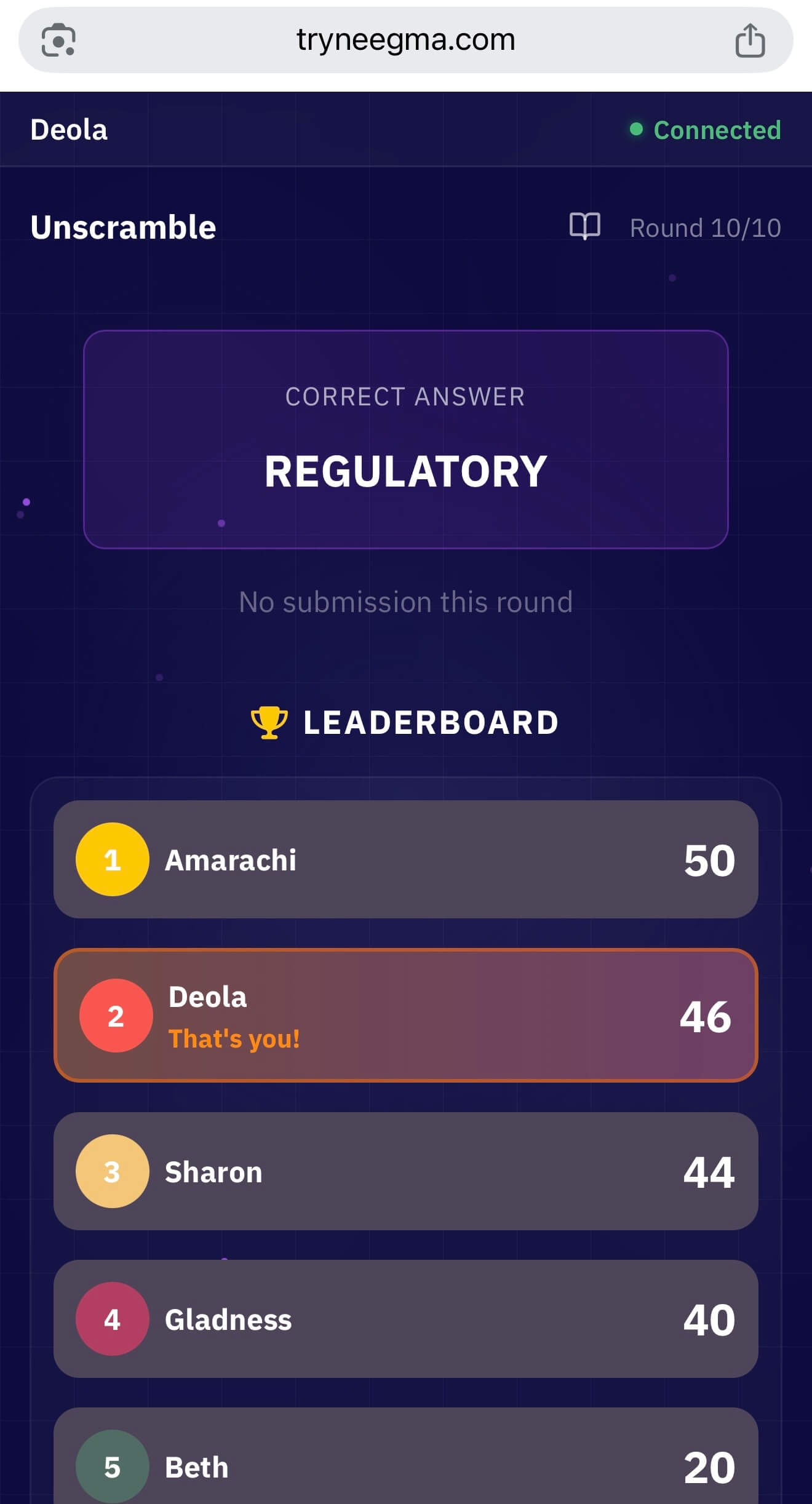
Join and rejoin
Scan to join, drop off when the Wi-Fi wobbles, and come back with the same name and score. Nobody gets left behind.
Custom decks
Build the round around your team or crew in the Playground, import questions from a spreadsheet, or let Create with AI draft a set.
Teams on a call
Split the call into teams and let every member answer from their own phone, so nobody waits on one person to type.
Make it weekly
Save your running order as a template and run a standing games night your remote team actually looks forward to.
Games built for a shared screen.
Icebreakers, quizzes and deduction: fast, loud, and easy to follow on a call, with your own questions dropped in.
Unscramble
Race to unscramble the word. Quick rounds keep a remote room moving, and custom decks make it yours.
Odd One Out
Spot the one that does not belong. Great for a competitive call where everyone wants to be right.
Trivia
Any question you can write, played live on the shared screen. The workhorse of a virtual night.
Who Said It
Honest answers with no names, then the call works out who wrote what. Great for teams who rarely share a room.
Crack the Code
Everyone guesses the secret code at once, and each guess is graded privately on the guesser's own phone.
Telepathy
Answer the way you think the call will. Easy to follow, and the chat lights up at every reveal.
We recently ran a virtual games night with Art of Games the same way: one shared screen, a room full of players on their own devices.
See the full game libraryFrom a real virtual room
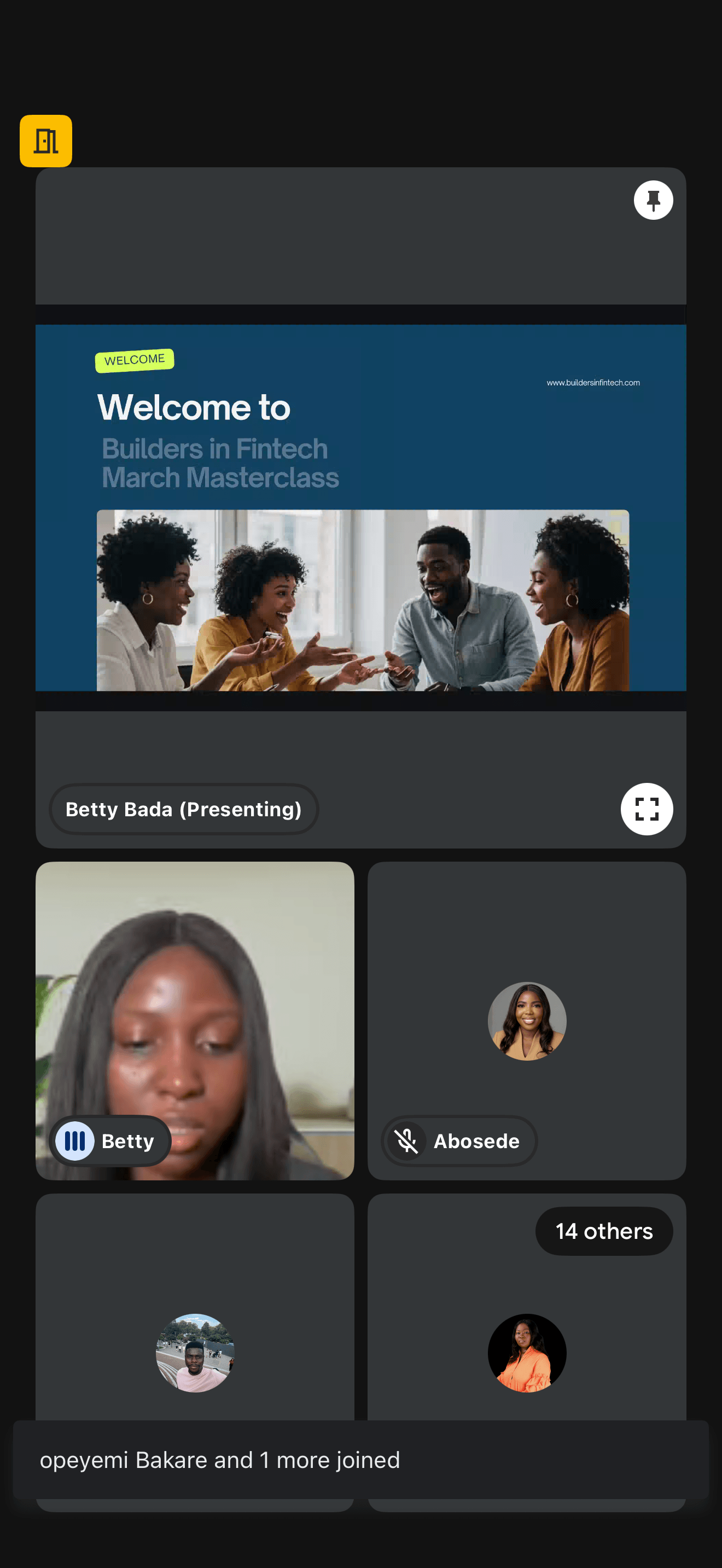
Professionals who had been quietly waiting for the session to start were suddenly racing against the clock and each other. By the time the teaching began, the whole room was switched on.
Community manager, on opening a virtual masterclass
Read the Builders in FinTech masterclass recap